Enterprise-class backup and recovery for Jira

Ensure your Jira data and configurations are safe and recoverable at any time
Customer Use Case

Challenge

Relying on free manual exports and scripting for Jira backup is risky. These methods often lead to recovery failures, lengthy restoration processes, time-consuming management, unsafe data storage, and fragmented protection strategies. As Atlassian doesn't handle this responsibility, organizations need a more robust, automated solution to effectively safeguard their critical Jira data.

Solution

To overcome the limitations of manual Jira backups, organizations should adopt a comprehensive third-party backup solution with automated daily backups, full data coverage, multiple storage options, quick recovery, and enhanced security. Resulting in effectively protecting Jira data against various threats, ensures compliance, and maintains business continuity, all while eliminating the risks associated with manual methods.
Business Value

It's more than just about the data

Image
HYCU-icon-001.svg

Security-first

All backups are in your storage and control only. Keeping backups in your control is critical for third party risk management, compliance, and data governance.
Image
HYCU-icon-002.svg

Offsite backups

Keeping an offsite backup means you’re safe from data corruptions, or attacks. Store your copies in an S3 Bucket only accessible to you with Amazon S3, Azure Blob, Google Cloud Storage or other S3-compatible targets.
Image
HYCU-icon-003.svg

SLA flexibility

Some projects are more critical than others. You have complete control over your backups, customizing backups from days down to the hour. Only HYCU gives you the ability to adjust SLAs with complete control of your backup policies.
Image
HYCU-icon-004.svg

Data Residency

Ensure your data is processed and kept in your desired regions. HYCU gives you complete control of where to run your backups and recovery operations.
Image
HYCU-icon-005.svg

Improve your security and compliance posture

Build a strong compliance posture by backing up and staying in control of your Jira data.
Image
HYCU-icon-006.svg

Protect much more than just your Jira

Protect all Atlassian apps from a single view – no more managing multiple solutions.
Product Tour

See for yourself

Key Features & Benefits

Don't let mistakes disrupt your operations

  • Protect yourself from insider threats and ransomware

    Ensure you have safe, offsite copies to recover from in the event of an attack or insider threat.

    Image
    66f46ba584f01eb161a51261_HYCU-automates-scheduled-backups.webp
  • Avoid data loss and disruption with rapid restores

    Restore projects, epics, single issues, attachments and more. No more disruptive bulk recoveries.

    Image
    66f46ba584f01eb161a51261_HYCU-automates-scheduled-backups.webp
  • Never lose automations again

    Restore automations end-to-end along with conditions, triggers, and more.

    Image
    66f46ba584f01eb161a51261_HYCU-automates-scheduled-backups.webp
  • Protect your service management and customer experiences

    Restore assets, requests, objects, and more with ease.

    Image
    66f46ba584f01eb161a51261_HYCU-automates-scheduled-backups.webp
  • Spend one minute a week on backups

    Automate your backups in a few clicks and stay on track with reporting, notifications, and 24-7 logging.

    Image
    66f46ba584f01eb161a51261_HYCU-automates-scheduled-backups.webp
How it Works

HYCU for Jira Backup

FAQ

Common Questions About Backup & Recovery for Jira

Can HYCU restore specific Jira items without bulk recovery?

Yes, HYCU allows granular restoration of Jira elements, including projects, epics, single issues, attachments, and more, without requiring disruptive bulk recoveries.

Does HYCU protect Jira automations?

Absolutely. HYCU can restore Jira automations end-to-end, including conditions, triggers, and other related elements.

How does HYCU handle Jira project-level backups?

HYCU allows you to assign backup policies at the project level, giving you the flexibility to set different backup frequencies and retention policies for different Jira projects.

What does HYCU offer for Jira backup and recovery?

HYCU provides automated backups and rapid restore capabilities for Jira, allowing you to protect projects, issues, attachments, and configurations.

What Jira-specific items can HYCU backup and restore?

HYCU can backup and restore a wide range of Jira items, including projects, boards, issues, epics, sprints, dashboards, filters, and workflows.

What are your data residency options?

Our platform is built to support both multicloud and hybrid cloud environments, offering robust tools for data management, protection, and compliance.

How does the solution ensure data security?

We prioritize data security through enterprise-grade protection measures, ensuring compliance with industry standards and safeguarding sensitive information.

Can the solution scale to major instances?

Yes, our solution is designed to scale with your business needs, providing flexible options for expansion and resource management.

Where can I store my HYCU backups?

Our solution offers seamless integration with major cloud platforms such as AWS, Google Cloud, Azure, and VMware, ensuring compatibility and ease of use.

Customer Loyalty

Read why HYCU customers love our simple, flexible data protection software

  • "This partnership is a clear reflection of our dedication to providing unparalleled solutions to our clients. Collaborating with HYCU seamlessly aligns with our vision of using technology to empower businesses."

  • "In about 10-15 minutes, I completed the first Jira Cloud backup, set up a backup notification to my email and restored a Jira issue. It’s really easy to setup everything."

  • "HYCU = Reliable data protection and recovery."

  • "The software impresses with its user-friendliness and seamless integration with various cloud platforms like Google Cloud and Azure."

Free Trial

Start protecting your Jira data for free‍

Image
R-Cloud Free Trial Form image

The only solution with comprehensive data protection
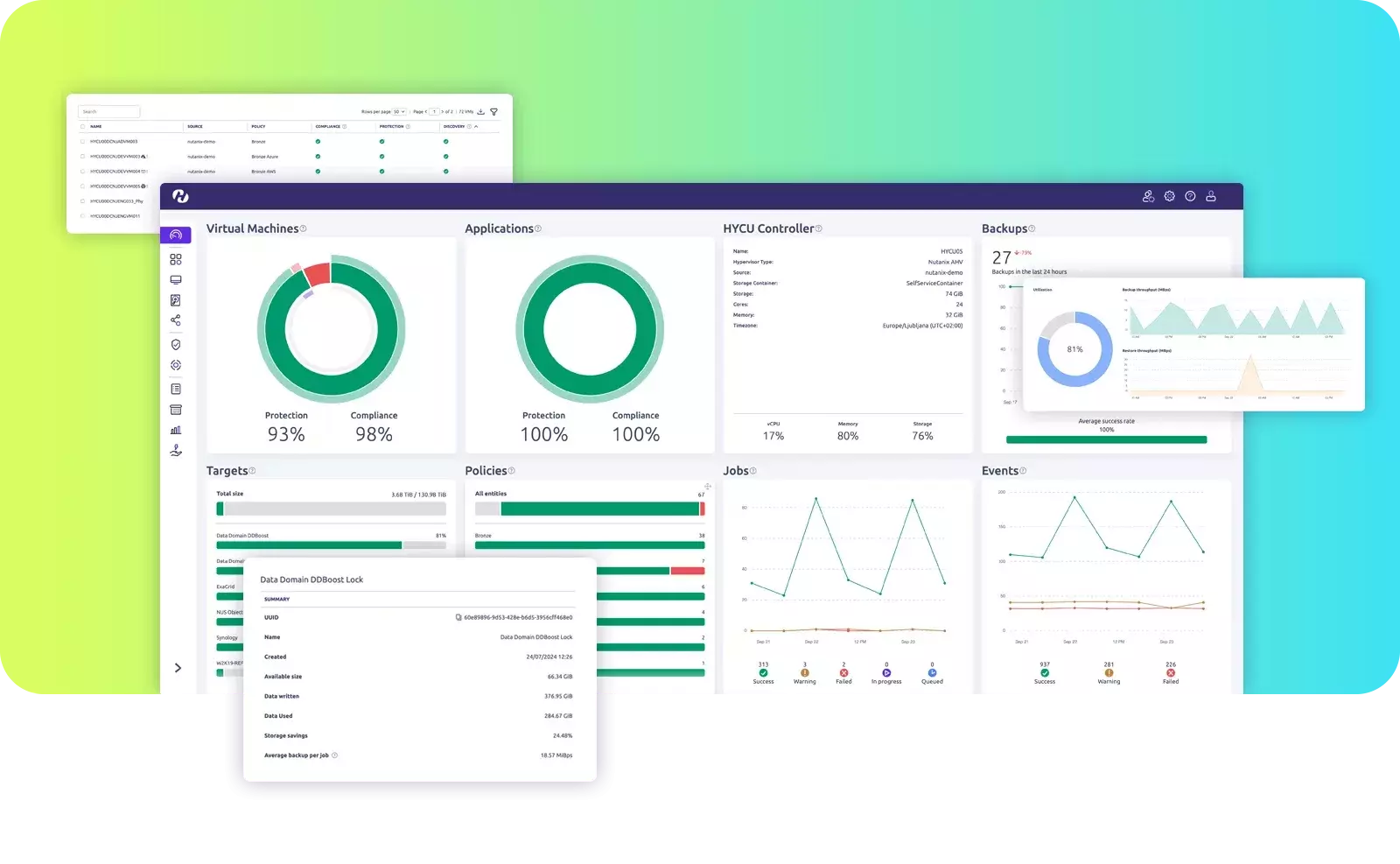
  • Flexible backup frequency with unlimited retention
  • One-click item-level data recovery
  • Autopilot backups with ‘set and forget’ policies
  • Immutable ransomware-proof copies
  • Off-site backup storage in customer owned storage

Sign up for your free trial